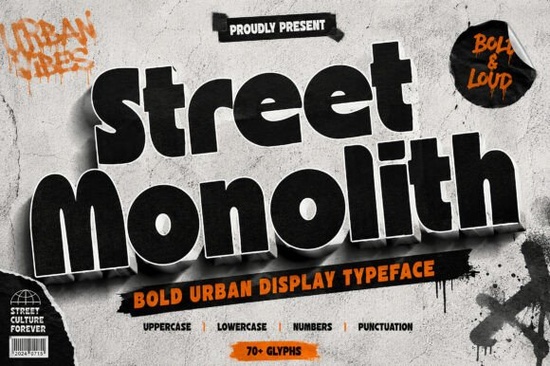
If you're looking for a display font that brings serious attitude to your designs, Street Monolith Font deserves a close look. This bold urban typeface is built for projects where you need to grab attention fast think streetwear brands, concert posters, gaming thumbnails, or packaging that needs to stand out on a shelf.
What makes Street Monolith Font different from other bold fonts?
A lot of heavy fonts can feel generic or just plain clumsy. Street Monolith avoids that by combining chunky letterforms with a retro‑groovy personality. The monolithic shape gives each character a solid, almost sculptural feel, while the slight curves and angles keep it from looking boring. It’s bold but not shouty it has rhythm. Designers working on streetwear labels or album covers will appreciate how the font carries a lived‑in, urban energy without trying too hard.
What kind of projects work best with Street Monolith Font?
This typeface shines in short, impactful use cases. Think:
- Streetwear branding logos, tags, and hoodie prints
- Posters and flyers especially for music events or skate culture
- Album covers and song title graphics
- Gaming titles and streaming overlays
- Packaging limited drops, snack boxes, or beverage labels
- Stickers and social media graphics
Because the font is so heavy, it’s best for headlines or hero text. Pair it with a clean sans serif for body copy or use it solo on a bold poster layout.
How does Street Monolith compare to other bold display fonts?
If you’ve used fonts like Fruits Lemon or Dustline Block, you know the power of a strong display typeface. Street Monolith sits in a similar space but leans harder into a retro‑futuristic, almost monolithic feel. Where Chicago Bulls brings a sports‑inspired sharpness, Street Monolith feels more rounded and groovy. It’s also chunkier than Fellast, which has more of a rough hand‑drawn look. And compared to Unreal Beauty, Street Monolith is more blocky and less script‑like. Each has its place, but for designers who want raw urban energy without sacrificing readability, Street Monolith hits a sweet spot.
What should you consider before using Street Monolith?
Because the letterforms are so chunky, this font works best at larger sizes 36pt and above. At smaller sizes, the thick strokes might close up, especially in all‑caps. Also, the retro‑groovy vibe won’t fit every brand. If your project needs a clean, corporate look, this probably isn’t the right choice. But if you’re designing for a sneaker drop, a music festival, or a gaming channel, it’s almost perfect.
Tips for getting the most out of Street Monolith Font
- Use high contrast backgrounds. White on black or bright neon on dark works best.
- Add subtle texture. A noise layer or grain effect can enhance the urban feel.
- Keep kerning loose. The heavy letters need breathing room avoid tight tracking.
- Experiment with color. Street Monolith looks great in bold reds, yellows, and electric blues.
- Don’t use it for long paragraphs. Save it for headlines, logos, and short statements.
Where to find Street Monolith Font and similar typefaces
You can grab Street Monolith Font on Creative Fabrica. If you want to explore more bold display options, check out related fonts like Fruits Lemon, Dustline Block, Chicago Bulls, Fellast, and Unreal Beauty. Each brings a different personality trying a few can help you find the perfect match for your project.
Next step: Download Street Monolith and test it on a short headline. Stick it on a dark background with a bright accent color and see how it feels. If you’re a print‑on‑demand seller, try it on a mockup for a hoodie or cap. That’s the fastest way to know if the font clicks with your brand.
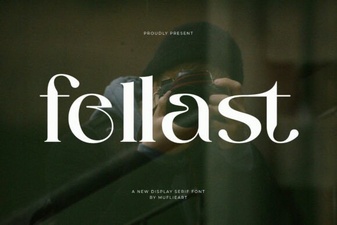 Fellast Font: Elevate Your Designs with Modern Typography
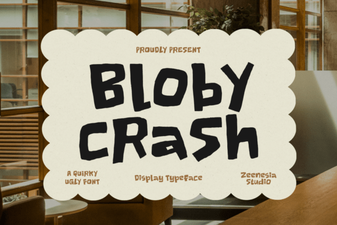 Bloby Crush Font: Fun, Rounded Typeface for Bold Designs
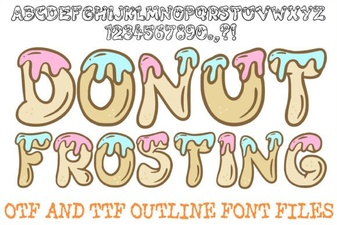 Donut Frosting Font Design and Creative Uses
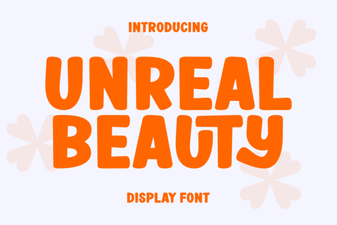 Unreal Beauty Font: Creative Project Ideas & Tips
 Lerry Font: a Design Tool for Creative Projects
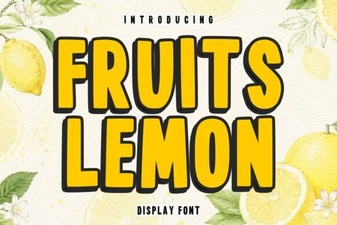 Design a Website with Creative Lemon Typography