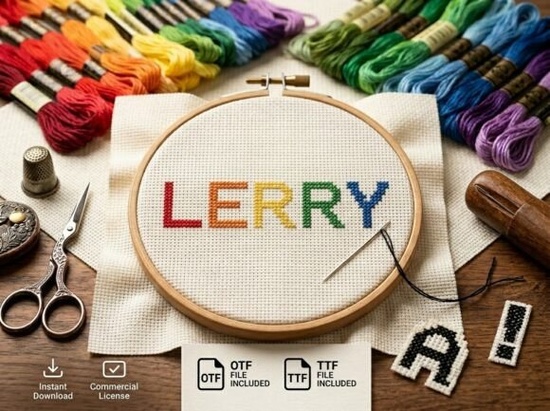
If you’re looking for a typeface that commands attention without saying a word, Lerry Font might be exactly what you need. It’s a decorative display font built for bold headlines, logos, and packaging where every letter feels like a piece of art. Before you click purchase, there’s one thing you should know: this is an all-caps typeface. There are no lowercase letters. That’s not a bug it’s a deliberate design choice for high‑impact use. So if your project relies on mixed‑case readability, this isn’t the right fit. But if you want your text to stand tall and proud, keep reading.
Is Lerry Font all uppercase only?
Yes, it is. Lerry Font is an all‑caps display typeface, which means every character is a capital letter. This makes it ideal for short, punchy messages rather than long paragraphs. Think of it as a design element, not a working text font. The uppercase‑only structure gives each letter a consistent weight and presence, perfect for when you need a strong visual statement.
What file formats come with Lerry Font?
You get two files: an OTF (OpenType Font) and a TTF (TrueType Font). Both are standard formats that work across most design software and operating systems. The OTF file is your best choice for professional tools like Adobe Illustrator, Photoshop, or Affinity Designer, as it offers better typographic features. The TTF file is a backup for universal compatibility handy if you’re working on a less common platform or sharing files with collaborators who might not have the latest software.
How can I make an all‑caps display font look good in a design?
Using an all‑caps font well takes a little thought. Here are a few practical tips:
- Keep it short. Lerry Font shines in one to five words. Long sentences in all caps become hard to read.
- Pair it with a neutral sans‑serif. For body text or supporting copy, use a simple font like Baik Font to balance the decorative look.
- Use generous letter‑spacing. All‑caps letters can feel tight. Adding a little tracking (2–5 points) improves readability and gives the text room to breathe.
- Consider color and contrast. Because Lerry Font has strong visual personality, it works best on a clean background. Gradient fills or subtle textures can add depth without clashing.
What kinds of projects fit Lerry Font best?
Based on its design and the all‑caps limitation, Lerry Font is a natural fit for:
- Bold logos – especially for brands that want a handcrafted, artistic feel.
- Creative packaging – think product labels, gift tags, or box inserts where the font becomes the focal point.
- Social media graphics – short quotes, sale announcements, or event headers.
- Decorative initials – use a single large capital letter as an ornament in a poster or book cover.
- Print‑on‑demand apparel – hoodies, T‑shirts, and tote bags often rely on one strong word or phrase.
If you’re looking for fonts that work well in similar contexts but offer different vibes, you might also enjoy the playful curves of Donut Frosting Font or the rugged blocks of Street Monolith Font.
Is Lerry Font suitable for body text or long paragraphs?
No, it isn’t. I know that’s a deal‑breaker for some, but it’s important to be clear. Body text needs lowercase letters, consistent spacing, and a certain familiarity for easy reading. Lerry Font is a display typeface first and foremost. If you need a versatile all‑rounder, consider mixing it with a more readable companion like Sweater Font for a cozy, slightly softer look, or Tropic Sundae Font for a tropical, fun vibe that still works in shorter bursts.
What sets Lerry Font apart from other decorative fonts?
The key is in the details. Lerry Font has unique artistic elements think subtle flourishes, uneven stroke weights, and a handcrafted quality that feels personal. It’s not a generic display font; it carries a strong visual personality right out of the box. That’s why it’s a good choice for creators who want their typography to feel like an original piece of art, not just another font downloaded from the library.
Quick checklist before you buy Lerry Font
- Confirm your use case. Is the project short, bold, and visual? If yes, you’re on the right track.
- Check your software. OTF and TTF work in most apps, but verify compatibility if you use a niche program.
- Pair it in advance. Have a secondary font ready for body copy or supporting text.
- Test a sample. If possible, paste a few words into your layout to see how Lerry Font behaves at different sizes.
Still on the fence? Try combining Lerry Font with a relaxed serif or a clean sans‑serif for contrast. Sometimes the best designs come from unexpected pairings.
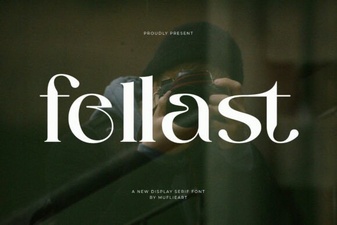 Fellast Font: Elevate Your Designs with Modern Typography
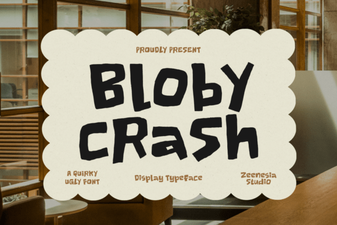 Bloby Crush Font: Fun, Rounded Typeface for Bold Designs
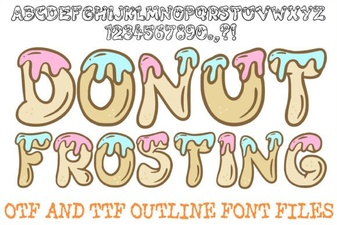 Donut Frosting Font Design and Creative Uses
 Unreal Beauty Font: Creative Project Ideas & Tips
 Design a Website with Creative Lemon Typography
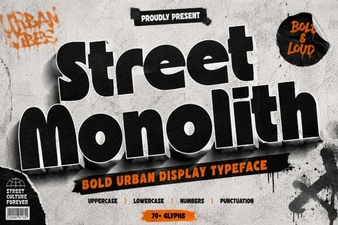 Street Monolith: Creative Font Uses & Design Ideas